


Click on the «Data Analysis» menu, then on «Multivariate Statistics,» and select the analysis.
Zone 1 : the variable selector. These are the variables active, the ones that form the axes. ACP provides only the quantitative columns, ACM only the qualitative ones, and FAMD both.
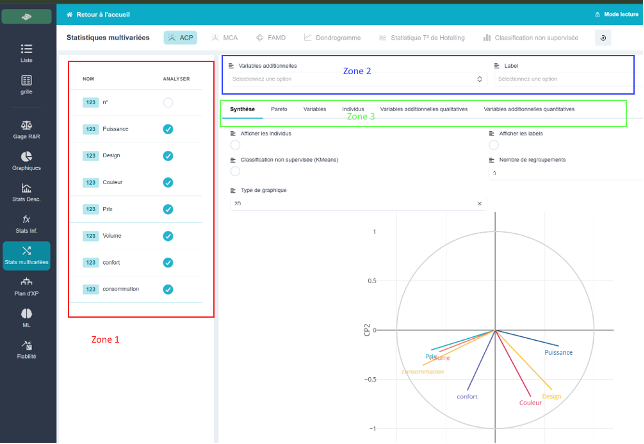
A rule to keep in mind when reading the grid:
⇒ An empty cell isolates the individual. An individual is included in the analysis only if all of their active variables have been entered. The number of individuals included may therefore be fewer than the number of rows in the table.
💡 If your cloud has fewer individuals than expected, check for empty cells in your active variables.